 OverStandard
This article is for Property Managers. Building Users hold a narrower version of this role; see The building team view.
How the roles stack up
| Can they… | Building User | Property Manager |
|---|---|---|
| Create requests for any suite, and waive the charge | Yes | Yes |
| Edit or cancel someone else’s request | No | Yes |
| Add & edit tenants | Yes | Yes |
| Edit a suite | Yes | Yes |
| Create a suite | No | Yes |
| Edit a building: lease hours, holidays, floors | No | Yes |
| Edit another person’s user record | No | Yes |
| Invite tenant users | Yes | Yes |
| Invite tenant managers & building staff | No | Yes |
| Set which buildings a colleague covers | No | Yes |
| Add or configure services, devices & gateways | No | No |
Acting on anyone’s request
Unlike Building Users, you can edit and cancel requests created by anyone below you: tenants, tenant managers and building users alike. The timing rules are unchanged: edit while Scheduled, cancel any time before the run finishes. See Editing and canceling a request.
You also have Waive Charge on the request form. On a recurring request it waives every occurrence; see Requests on behalf of tenants.
Editing other people
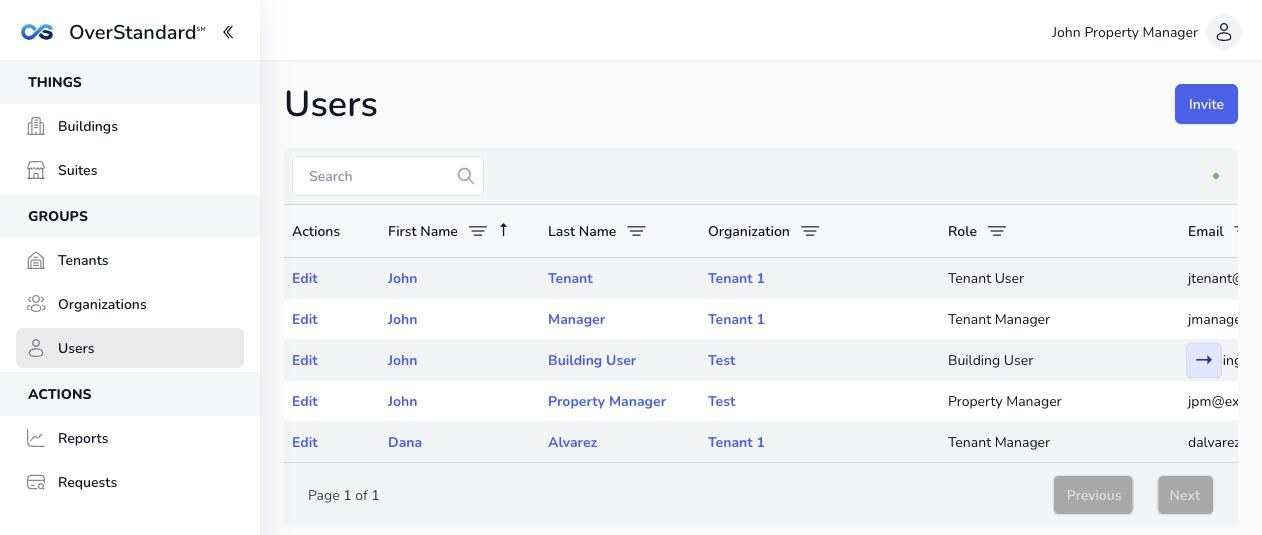
You can edit tenant users, tenant managers and building users: their details, their enabled state, and their access. You can’t edit another Property Manager: the rule throughout OverStandard is that you may edit yourself and anyone whose role sits below yours.
The one thing you can’t do
Services are not configurable from the app. If a suite shows “This floor has no services!”, or a service needs its rate, minimum billing or run limits changed, contact support@overstandard.com. You can create the floor; the services on it are configured for you.
The same applies to gateways, devices and points: the building-automation plumbing sits outside the property-management interface.
Where to go next
- Editing a building: lease hours, holidays and floors.
- Creating a suite: for a new lease.
- Inviting staff and setting access: all four roles.
- Adding and editing tenants and Setting up a suite: shared with Building Users.