 OverStandard
This article is for Property Managers. Building Users hold a narrower version of this role; see The building team view.
Inviting someone
Open Users and click Invite. Enter an email, then choose a role. Unlike other roles, your dropdown offers all four:
| Role | Then you choose… |
|---|---|
| Property Manager | Property Management Organization |
| Building User | Property Management Organization |
| Tenant Manager | Building, then Tenant |
| Tenant User | Building, then Tenant, then suite access |
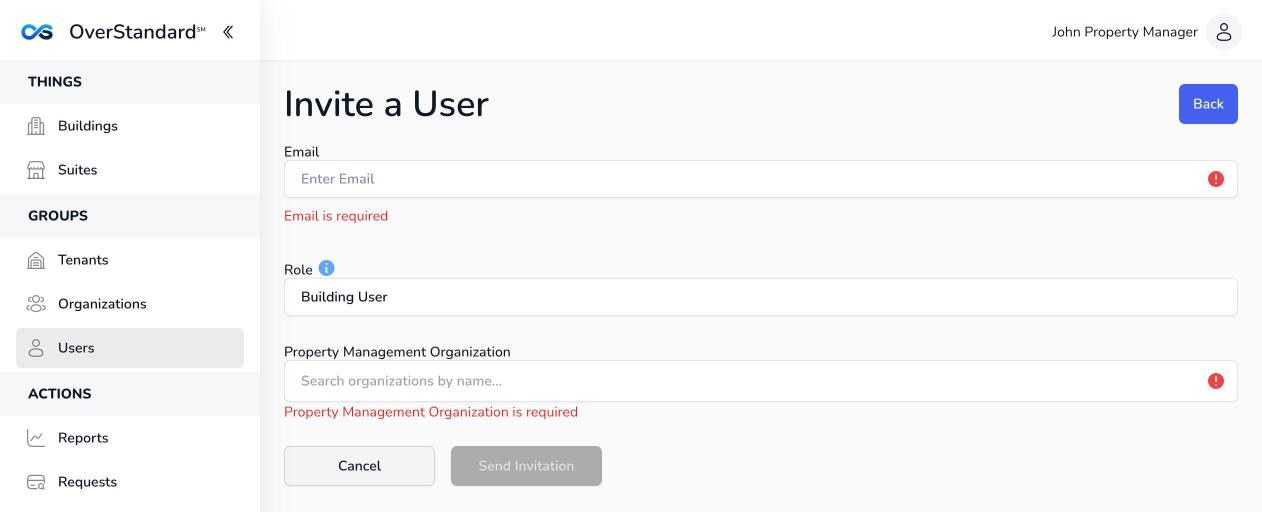
The invitee sets their own name, password and contact details when they accept. Until then they sit in Pending Invitations, where Resend and Revoke are available; note that resending invalidates the previous link.
For a new tenant, invite a Tenant Manager rather than a Tenant User. They can then invite their own colleagues, and you stop being the bottleneck for that company’s account.
Building access: for your own staff
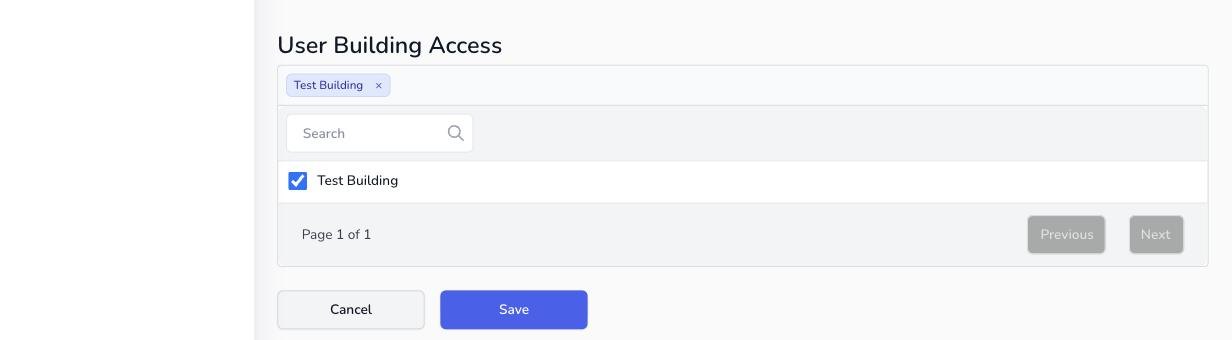
When you edit a building-management user, their record shows User Building Access: the buildings they work across. Add or remove buildings as chips. Someone with no building access can sign in but has nothing to manage.
The same list is editable from the building side, at the bottom of the building editor, useful when you’re staffing one property rather than setting up one person.
Suite access: for tenant users
When you edit a Tenant User, you get User Suite Access instead: the suites they may create requests for. Same control, different scope. Tenant Managers don’t have this panel: they automatically have access to every suite of their tenant. See Controlling suite access; tenant managers do this for their own people, and you can do it for anyone.
| Editing a… | Access panel shown | Means |
|---|---|---|
| Property Manager / Building User | User Building Access | Which buildings they manage |
| Tenant User | User Suite Access | Which suites they can create requests for |
| Tenant Manager | None | Every suite of their tenant, automatically |
Disabling someone
Uncheck Enabled on their record. Their history stays intact for billing; they simply can’t sign in. Prefer this to leaving a departed colleague’s account active.
You can’t edit another Property Manager, or change anyone’s role after the fact. Both need support@overstandard.com. Keeping two Property Managers on a portfolio avoids the first problem.