 OverStandard
M
This article is for building teams. It describes the Building User role, held by property-management staff, not by tenants.
The sidebar
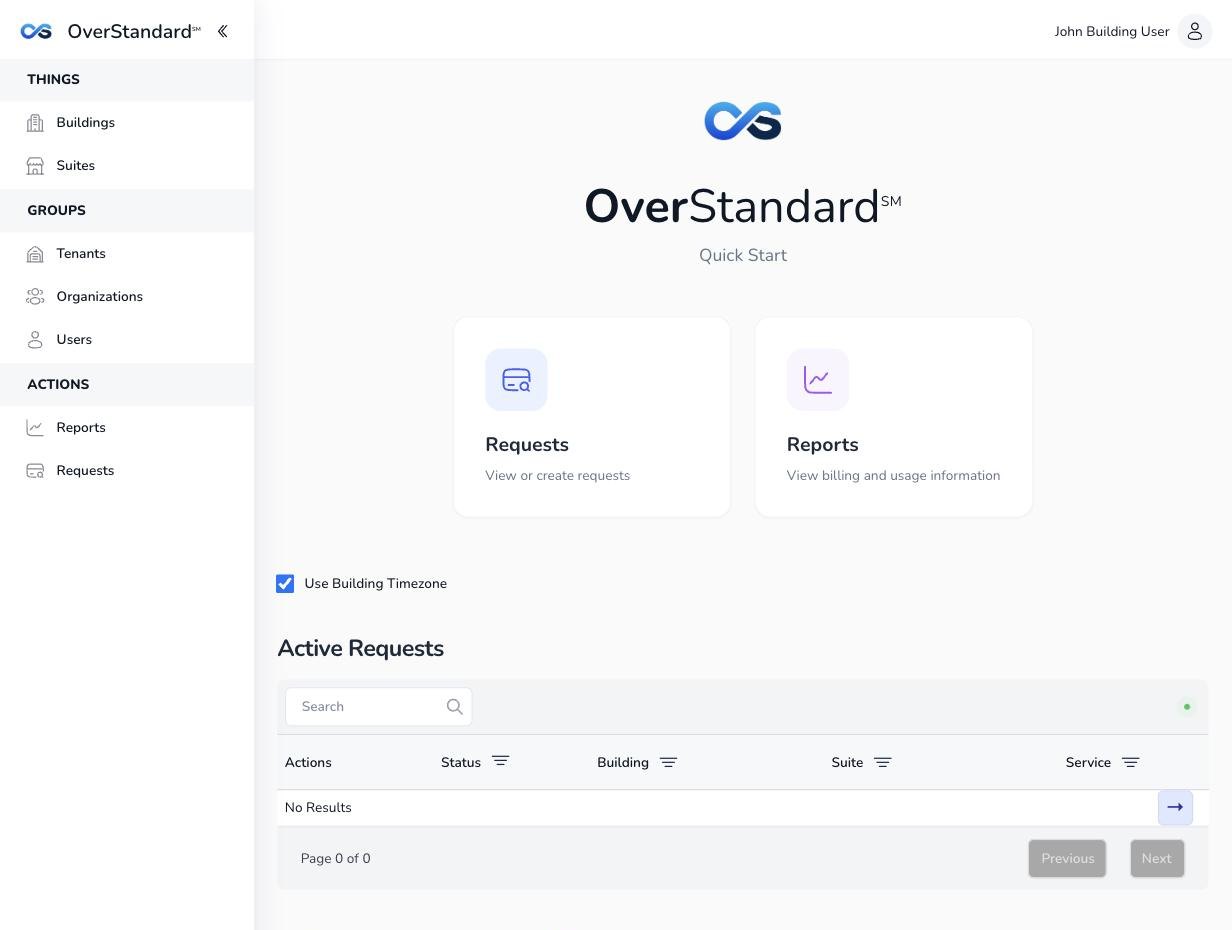
| Section | Links |
|---|---|
| Things | Buildings, Suites |
| Groups | Tenants, Organizations, Users |
| Actions | Reports, Requests |
Organizations is the property-management organization list: the companies that manage buildings. It’s read-only for you.
What you can do
- Tenants: add new tenant companies and edit existing ones. See Adding and editing tenants.
- Suites: edit a suite’s details, lease schedule, service access and user access. See Setting up a suite.
- Requests: create requests on behalf of any suite in your building, and waive the charge. See Requests on behalf of tenants.
- Users: invite tenant users. See Inviting tenant users.
- Reports: run usage across every suite in the building.
- Audit log: a record of changes you are permitted to view, from your account menu.
What you can’t do
| Not available | Who does it instead |
|---|---|
| Create or edit a building, or its default lease and holiday schedules | Property Manager or OverStandard support |
| Add a new suite | Property Manager |
| Add or configure services, devices, points or gateways | OverStandard support |
| Edit another person’s user record | Property Manager |
| Invite anything other than a Tenant User | Property Manager |
i
You can view your building but not change it. Open Buildings › your building to read its default lease schedule, holiday schedule, suites and floors; these values are set by the Building Admin or Property Manager.
Editing your own profile
You can edit your own record from Users or from Profile in the account menu: name, title, phone and email preferences. Other people’s records are read-only to you; the Edit action simply won’t appear on their row.