 OverStandard
This article is for building teams. It describes the Building User role, held by property-management staff, not by tenants.
The user list
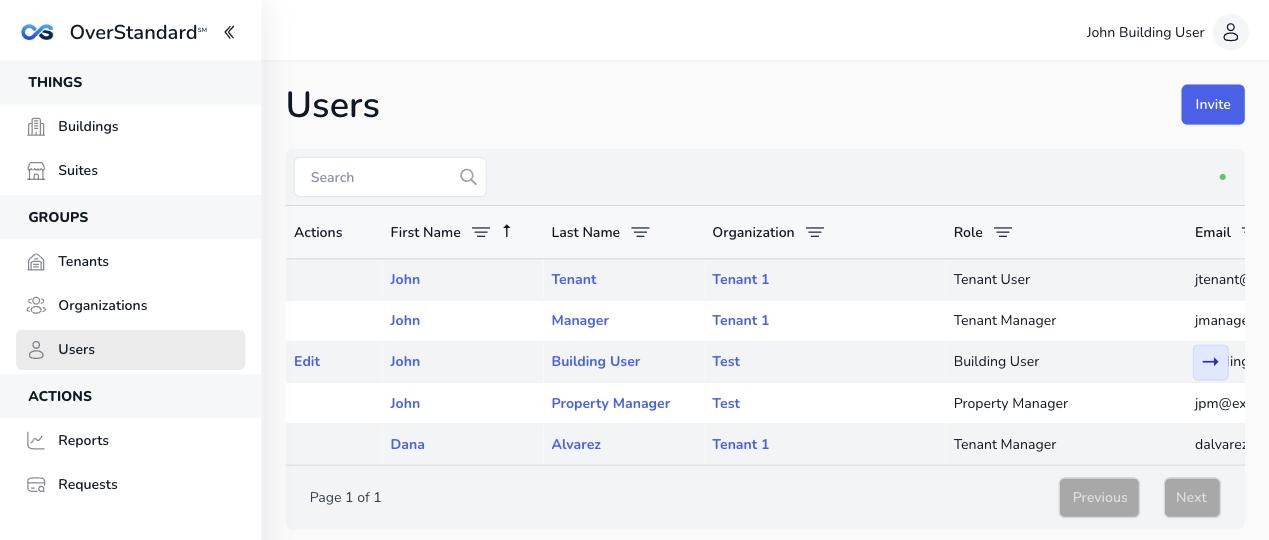
Open Users. You’ll see users from the tenant companies in your building and from your own property-management organization, with a Pending Invitations table underneath.
Sending an invitation
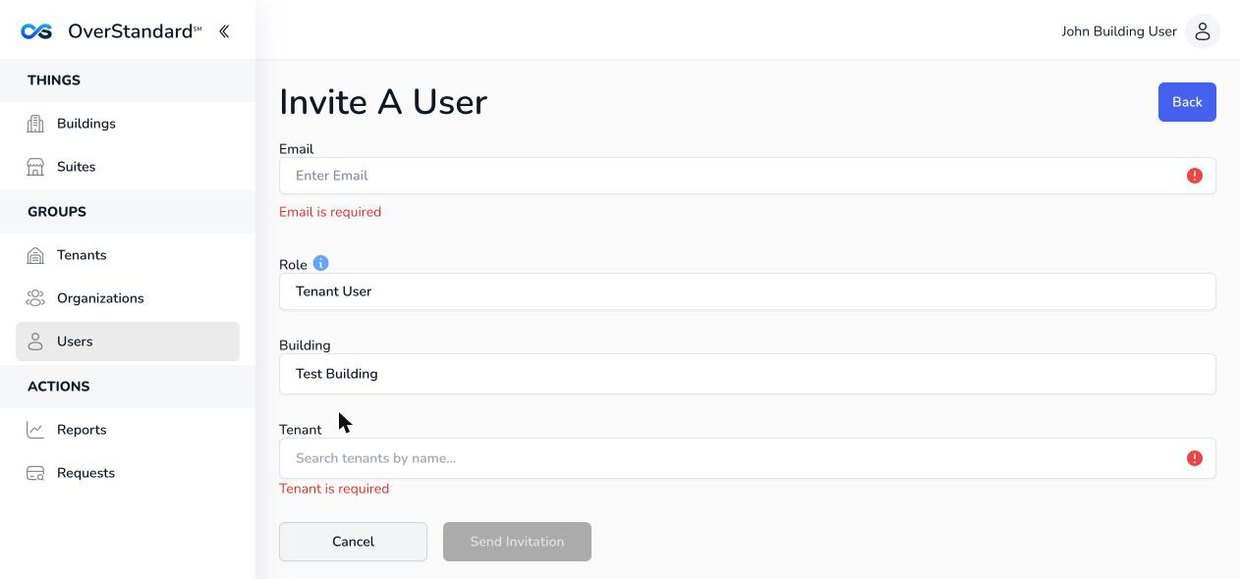
Click Invite at the top right.
Email: their work address. It becomes their username and can’t be changed.
Role: Tenant User is the only option available to you.
Building: appears once a role is chosen.
Tenant: appears once a building is chosen, and lists the tenants in that building. This is the company the person will belong to.
Suite access: check the suites they should be able to create requests for. This only applies to Tenant Users; Tenant Managers automatically have access to every suite.
Send Invitation.
The tenant must exist first. If the company isn’t in the Tenant dropdown, create it; see Adding and editing tenants.
Pending invitations
Until the person signs up they sit in Pending Invitations, where each row offers:
| Action | What it does |
|---|---|
| Resend | Emails the invitation again. The existing link stops working. |
| Revoke | Cancels the invitation. Can’t be undone. |
The invitee sets their own name, password and contact details when they accept.
After they accept
Two things may still need doing:
- Suite access, if you didn’t set it on the invitation: until the user is granted access to a suite they can sign in but can’t request anything. You can grant it from the suite side, in User Suite Access on the suite editor; see Setting up a suite.
- Their profile details: you can’t edit other people’s records. They edit their own, or their tenant manager does.
The usual pattern: invite one person at the new tenant as a Tenant User, grant them suite access, and let their organization take it from there. Promoting someone to Tenant Manager, so they can invite colleagues themselves, needs a Property Manager.