 OverStandard
This article is for building teams. It describes the Building User role, held by property-management staff, not by tenants.
Finding it
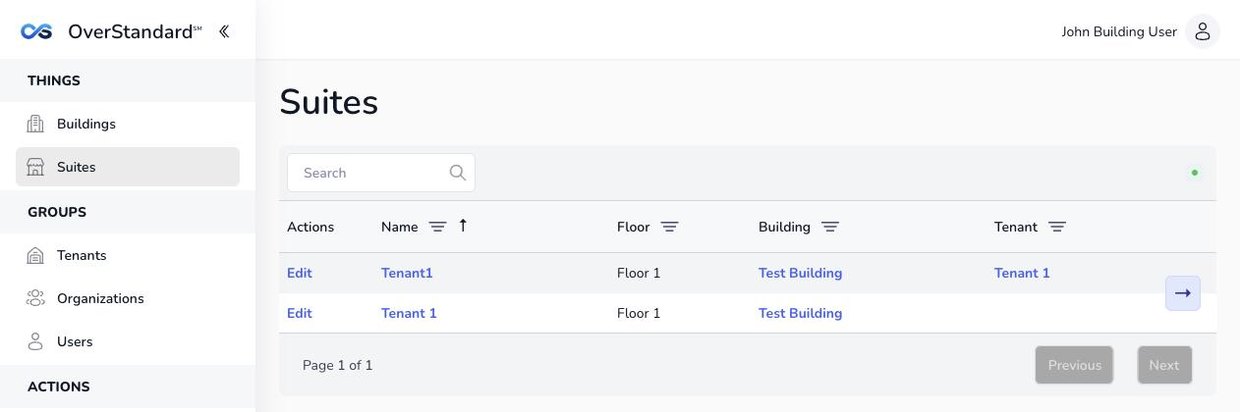
Open Suites and click Edit, or reach the same editor from Buildings › your building › the Suites table.
You can edit suites but not create them. Adding a new suite is a Property Manager action.
The four panels
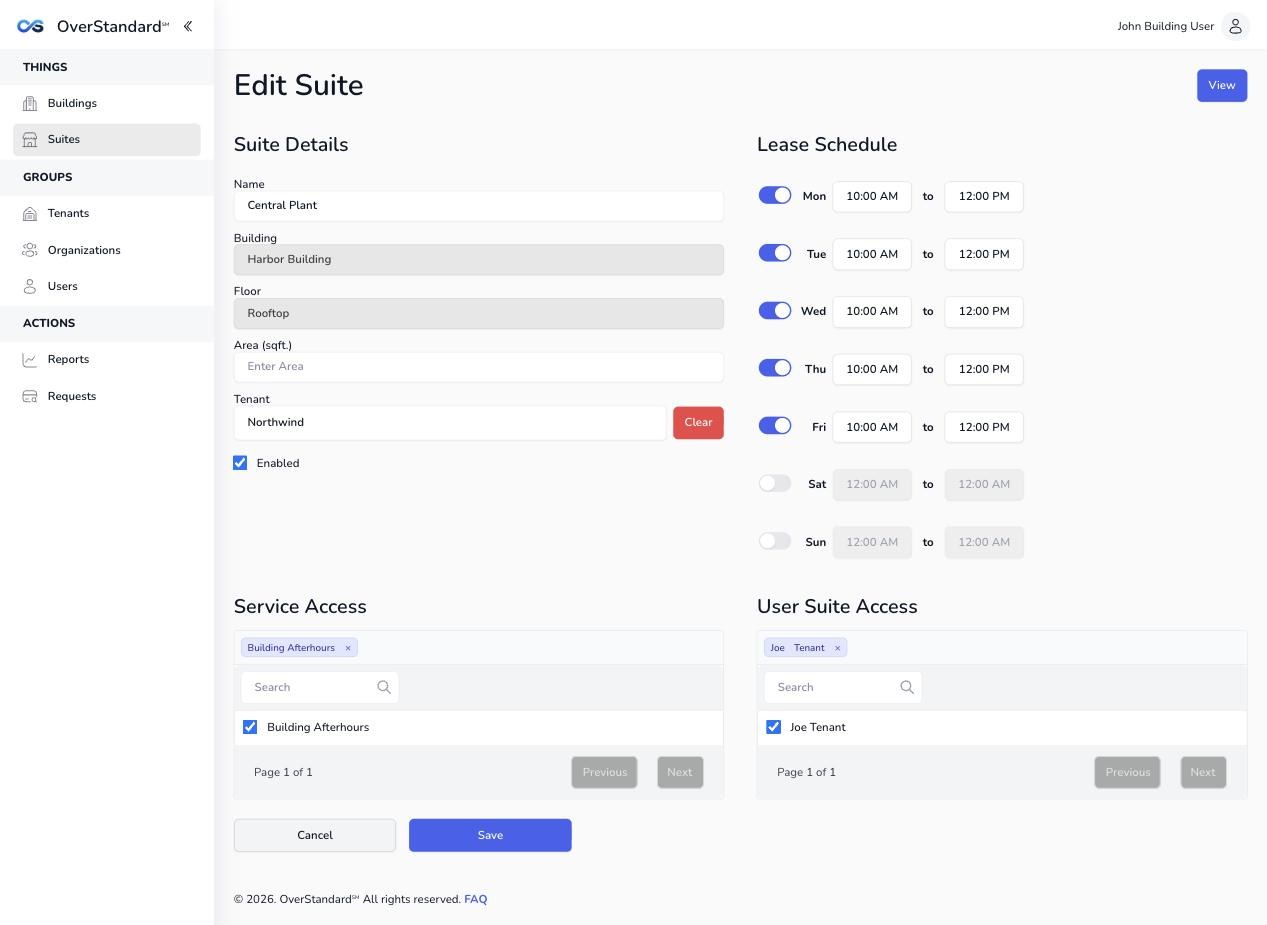
1 · Suite Details
| Field | Notes |
|---|---|
| Name | Editable. This is what tenants pick on the request form. |
| Building | Fixed. |
| Floor | Fixed. Worth noting: services attach to the floor, not the suite. |
| Area (sqft.) | Used where a building bills after-hours services by area rather than a flat hourly rate. |
| Tenant | Which company occupies the suite. Clear unassigns it, useful between leases. |
| Enabled | Unchecking takes the suite out of service; nobody can request against it. |
2 · Lease Schedule
A toggle per weekday plus a from and to time. Hours inside this window are included in the lease; everything outside is after hours and requestable. Switching a day off makes it after hours for its whole length, which is why Saturdays usually bill from the first minute.
This schedule overrides the building’s default for this suite. See Standard hours, after hours and holidays for how tenants see it.
3 · Service Access
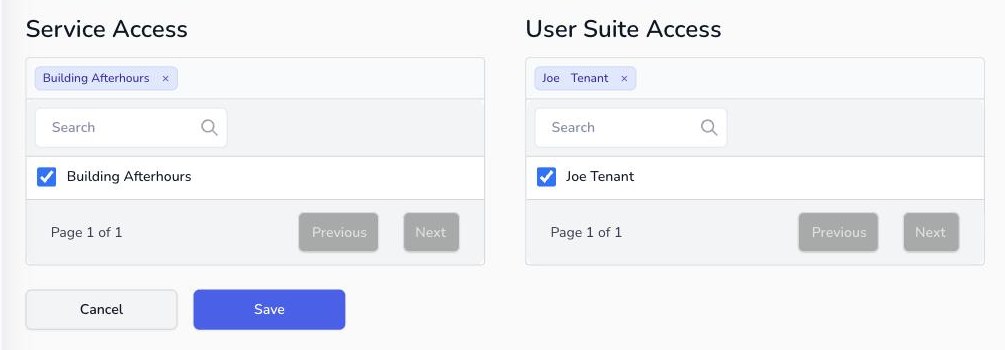
This panel controls which services the suite can request. Check a service to grant it; the chip above the list is the quickest way to see what a suite currently holds.
If the floor has no services at all the panel says so instead: “This floor has no services! To make requests on behalf of this suite, add a service to this floor.” That is the most common reason a tenant reports “no services found” on the request form. Building Users can’t add services; ask a Property Manager or OverStandard support to configure the floor.
4 · User Suite Access
Who may create requests for this suite. Current users appear as chips; the × removes one, and the searchable list below adds them. This is the suite-side view of the same setting a tenant manager sets per user.
Where the suite’s tenant has no users yet, this panel reads “This tenant has no users!” It’s the same shape of message as the services one, and the reason a newly leased suite can be fully configured yet still have nobody able to book it. Invite the tenant’s staff first; see Inviting tenant users.
Save
Save commits all four panels at once. Changes take effect immediately; tenants don’t need to sign out.
Changing a lease schedule changes what’s billable. Widening the window makes previously chargeable hours free; narrowing it does the reverse. Agree the change with the tenant before you make it.