 OverStandard
The idea
Inside the lease schedule, conditioning is part of your rent and you don’t need to do anything. Outside it, the building’s systems are off, and that’s what a request turns on.
Where to look it up
Two screens carry the answer, and the more specific one wins.
The building’s default
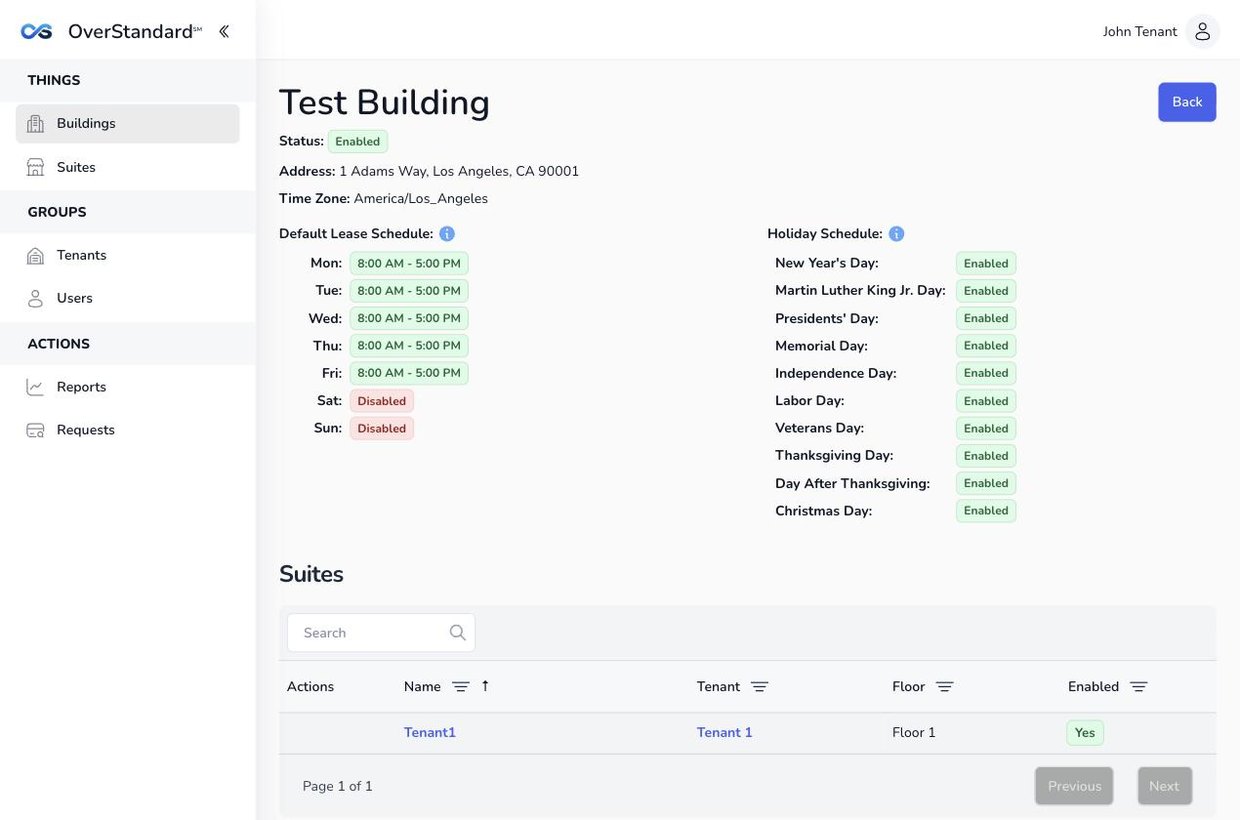
Open Buildings in the sidebar and click your building. You’ll see:
- Time Zone: the clock every request runs on.
- Default Lease Schedule: standard hours per weekday, or Disabled for days the building treats as closed.
- Holiday Schedule: the holidays observed here.
Your suite’s schedule
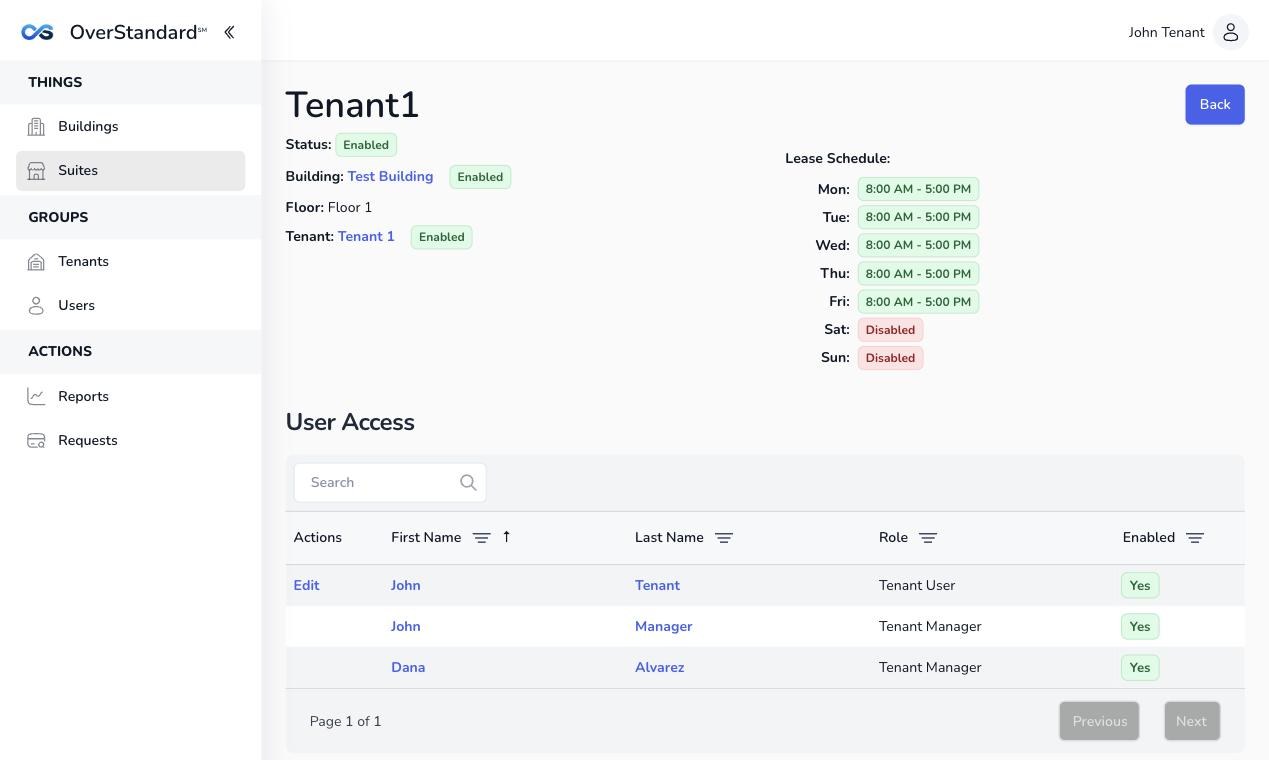
Open Suites and click yours. If your lease negotiated different hours from the building default, they appear here, and these are the hours that apply to you. The same page lists the services available in your suite and the colleagues with User Access to it.
A day marked Disabled is after hours for its whole length. That’s why Saturday requests usually cost from the first minute: there are no included hours to fall inside.
Holidays
Each holiday in the building’s schedule is Enabled or not. An enabled holiday is treated as closed, so a request on that date is after hours all day, even if it falls on a weekday.
The building’s list covers New Year’s Day, Martin Luther King Jr. Day, Presidents’ Day, Memorial Day, Independence Day, Labor Day, Veterans Day, Thanksgiving Day, the Day After Thanksgiving and Christmas Day. Each is switched on or off by the building.
Recurring requests and holidays
When you build a recurring request you can check Exclude Holidays, and the pattern will skip those dates instead of booking (and billing) a run nobody is there for. See Setting up a recurring request.
Lease hours and holidays are set by your building, not by you. If what’s shown doesn’t match your lease, raise it with your property manager; they can correct it.