 OverStandard
The normal path
Every status
| Status | Meaning |
|---|---|
| Pending | Created, not yet accepted for scheduling. |
| Scheduled | Accepted and waiting for its start time. This is the only status in which you can edit a request. |
| Starting | The start time has arrived and the building system is being told to run. |
| Active | Running now. |
| Stopping | The run is ending and the building system is being told to stand down. |
| Completed | Finished normally. |
| Canceled | Called off before it finished: by you, a colleague, or the building. |
| Failed | The building system didn’t confirm the run. The space may not have been conditioned. |
| Paused | Temporarily held by the building. |
| Stale | The request is out of step with the current configuration: usually a recurring series that needs attention. |
Verification badges
Where the building’s equipment reports back, requests carry a badge:
- Verified Request: the building confirmed the status. This is the strongest evidence a run actually happened.
- Partially Acknowledged: some of the equipment reported back but not all of it. The request was still processed normally.
Execution history
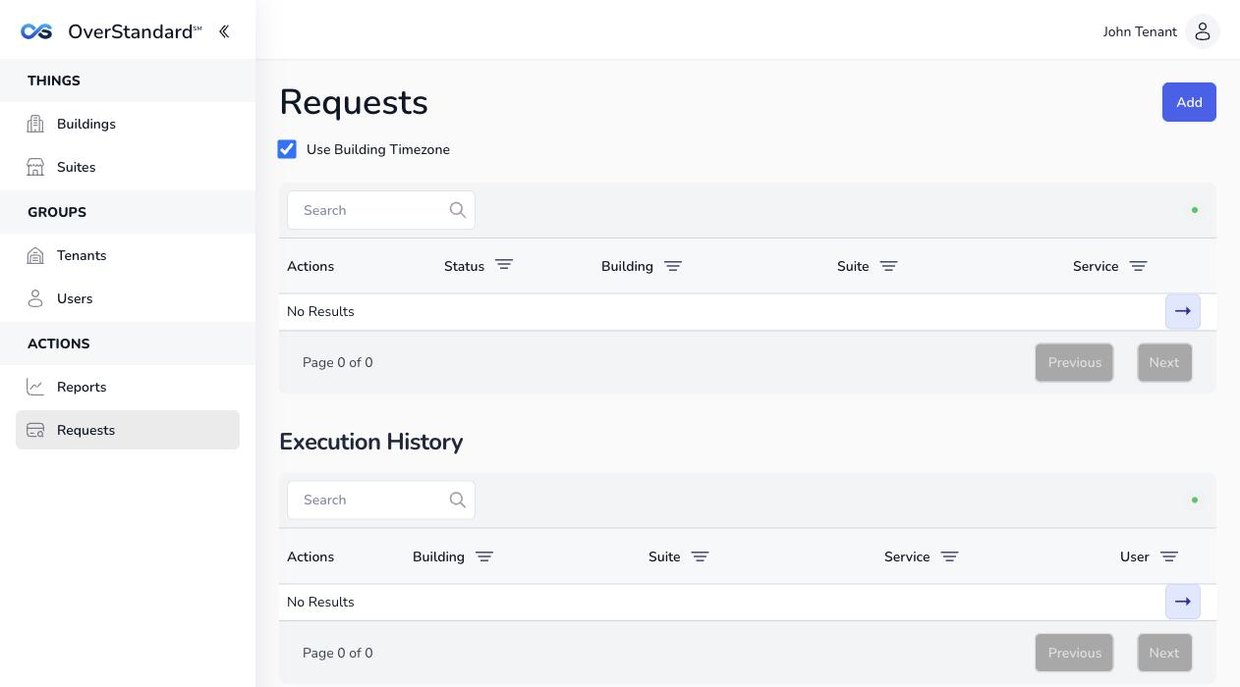
The two tables answer different questions. Requests is your bookings (including recurring series, which appear once). Execution History is one row per actual run, with the building, suite, service and the user who requested it. When you’re reconciling an invoice, execution history is the one you want.
If a request fails
Check whether the space was actually conditioned. A failed status means the building system didn’t confirm; sometimes the equipment ran anyway.
Tell your building’s management or engineering team. They can operate the system directly and are the only ones who can fix an equipment problem.
Then email support@overstandard.com so the failure can be investigated on the software side.
Query the charge if you were billed for a run that didn’t happen. That conversation is with your building, not with OverStandard; see How after-hours charges work.
You’ll get an email when a request fails. The Request Failure preference is on by default, and you can turn it off on your profile. See Your profile and email preferences.